Where the Story Comes Together: A Glimpse into Our Editing Suite
Discover what happens in post-production after filming ends. Learn how professional video editing transforms raw footage into compelling stories that drive business results.
on November 2, 2025 • 24 Min Read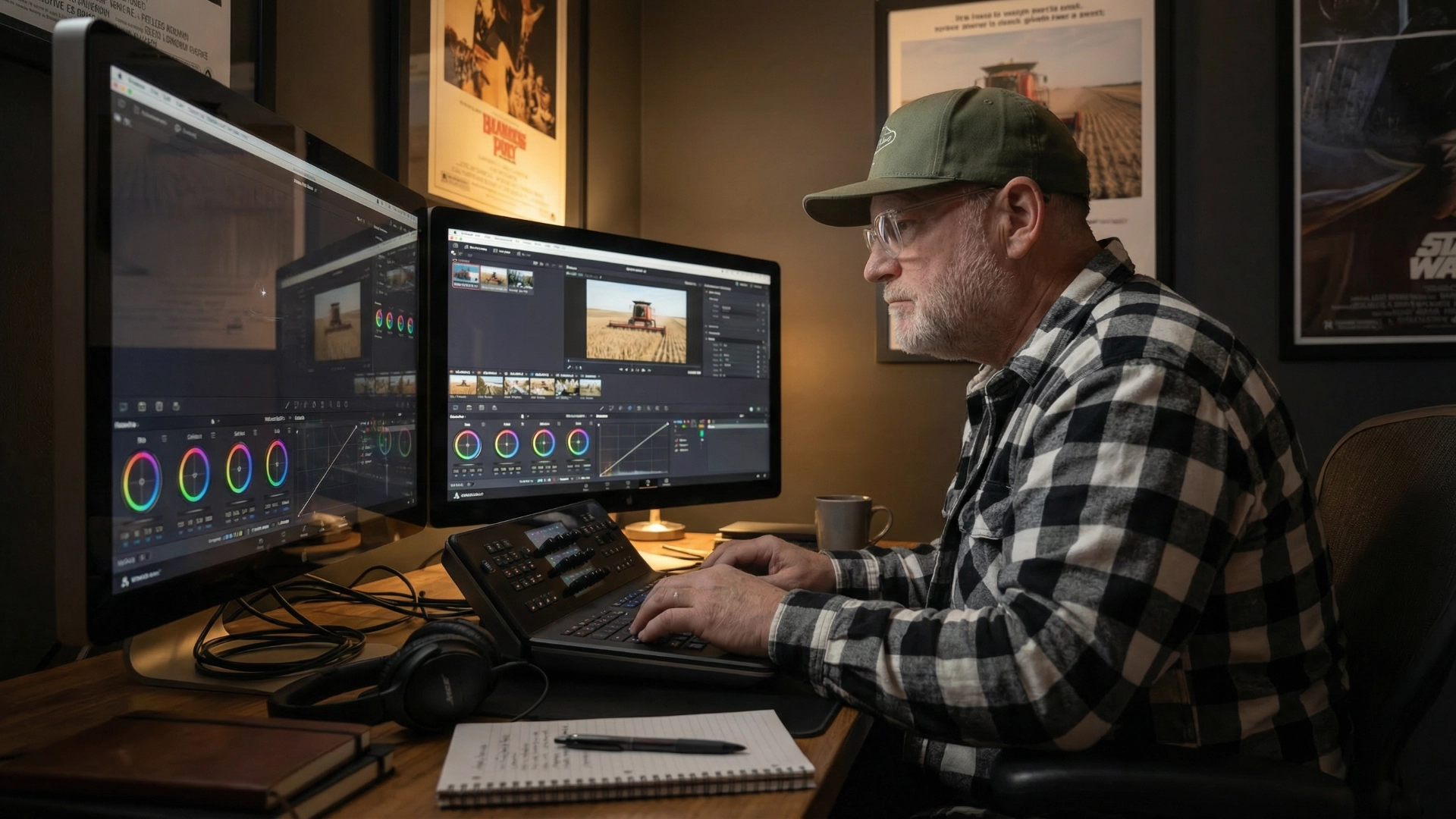
The Raw Truth About Raw Footage
Let me show you something most video production companies won’t:
Raw Interview Clip (32 seconds):
Manufacturing manager talking about company culture, but there’s a 4-second pause mid-sentence while he searches for words. He says “um” three times. A forklift beeps loudly in the background. The lighting creates harsh shadows under his eyes. He stumbles over “precision” and restarts the sentence. His shirt collar is slightly crooked.
Final Edited Version (18 seconds):
Same manager, same message—but the pauses are gone, the “ums” are removed, the forklift beep is reduced by 80%, the lighting is color-corrected to look warm and professional, the sentence restart is eliminated, and the frame is cropped to hide the collar issue. His core message is clear, confident, and compelling.
Same footage. Completely different impact.
This transformation doesn’t happen by accident. It happens in the editing suite—the phase of production where 90% of the storytelling decisions are actually made.
If you’ve ever wondered what happens after filming wraps, why post-production takes weeks instead of days, or what exactly you’re paying for when a video editor charges $1,200 for a 3-minute video, this article will pull back the curtain.
I’m going to walk you through our actual editing workflow, show you the decisions that transform adequate footage into compelling stories, explain why professional editing takes substantially more time than clients expect, and reveal why the editing suite is where your video’s ROI is actually determined.
The Myth of “Fixing It in Post”
First, let’s dispel a dangerous misconception: “We’ll fix it in post.”
This phrase—usually uttered on set when something goes wrong during filming—is both technically true and strategically misleading.
Yes, modern editing software is incredibly powerful. We can remove background noise, adjust exposure, stabilize shaky footage, replace awkward pauses, and even remove objects from scenes.
But every “fix” takes time, introduces potential quality degradation, and steals attention from creative storytelling decisions.
Here’s the reality: Post-production is not the emergency room for broken footage. It’s the workshop where good footage becomes great storytelling.
The best editing happens when we spend our time on creative decisions—pacing, emotional arc, message clarity—rather than technical rescues.
This is why thorough discovery (see our article “The Discovery Call That Changes Everything”) and professional production execution (see “Hard Hats and Handhelds”) matter so much. They give us better raw materials to work with, which means post-production time goes toward storytelling instead of damage control.
That said, even perfectly shot footage requires extensive editing to become a finished video. Let me show you what that process actually looks like.
Stage 1: Organization and Assembly (The Foundation)
Before any creative work begins, we need to organize the chaos.
A typical corporate video project gives us:
- 40-120 video clips from multiple cameras
- 12-30 audio files (interviews, room tone, backup audio)
- Client-provided assets (logos, photos, existing footage, graphics)
- Music options (we audition 15-25 tracks before selecting 2-3)
- Project files (creative brief, script/outline, shot list)
If we don’t organize this properly at the outset, we’ll waste hours searching for clips, duplicate work, or worse—miss great footage entirely because we forgot it existed.
Our Organization System
We use a structured file system:
Project_ClientName_2024/
├── 01_RAW_FOOTAGE/
│   ├── CameraA/
│   ├── CameraB/
│   └── Audio/
├── 02_PROJECT_FILES/
│   ├── Premiere_Project/
│   ├── After_Effects/
│   └── Exported_Versions/
├── 03_ASSETS/
│   ├── Client_Provided/
│   ├── Music/
│   ├── Graphics/
│   └── Stock_Footage/
├── 04_DELIVERABLES/
│   ├── Rough_Cut/
│   ├── Fine_Cut/
│   └── Final_Delivery/
└── 05_DOCUMENTATION/
    ├── Creative_Brief.pdf
    ├── Shot_List.pdf
    └── Revision_Notes/
Every file is named with a clear convention: Client_ProjectName_ClipType_Version_Date
Example: CoalbanksClient_RecruitmentVideo_Interview_V3_2024-11-02
This seems tedious. It is. It’s also what prevents catastrophic mistakes like accidentally using an outdated version or losing track of client revisions.
Time Investment: 2-3 hours for a typical project. Non-negotiable.
Assembly Edit: Logging and Rough Assembly
Next, we watch every second of footage and create a assembly edit—a rough chronological assembly of all usable content.
We’re logging:
- Timecode of great moments: “Interview_02, 04:23-04:47 - talks about mentorship with genuine emotion”
- Technical quality notes: “Good audio, slight overexposure, usable”
- Content themes: “Pride in craftsmanship,” “Safety culture,” “Problem-solving”
For a 6-hour shoot, we typically end up with 90-120 minutes of usable content after removing obvious technical failures, unusable audio, false starts, and dead space.
The assembly edit is unwatchable—it’s 90 minutes long, has no music, awkward pacing, and no structure. But it’s the foundation everything else builds on.
Time Investment: 6-10 hours for a typical corporate project.
Creative Review and Strategy Session
Before we start “actually editing,” we review the assembly cut and ask strategic questions:
- What’s the core message? (Referencing the creative brief from discovery)
- What’s the emotional arc we want to create? (Curiosity → Understanding → Inspiration → Action?)
- Who are the most compelling on-camera subjects?
- What B-roll moments best support the narrative?
- What’s the ideal finished length? (Client expectation vs what the story actually needs)
This is where we make the first major storytelling decision: What story are we actually telling?
Sometimes the story we discover in the footage is different from the story we planned during pre-production. A manufacturing recruitment video might reveal that the real story isn’t “we’re hiring” but “our veteran employees take pride in mentoring the next generation.”
If that’s the authentic story the footage reveals, we adjust our approach to follow it.
Time Investment: 1-2 hours of review and discussion.
Stage 2: Rough Cut (Where the Story Takes Shape)
Now the real editing begins.
The rough cut is where we:
- Reduce 90 minutes to target length (usually 2-4 minutes for most corporate videos)
- Establish narrative structure (beginning, middle, end)
- Select the best interview soundbites and arrange them logically
- Add supporting B-roll to cover interview edits and provide visual interest
- Insert placeholder music to establish pacing
- Create basic title cards (intro/outro)
This is brutal, creative work. We’re cutting 95% of the footage we shot. Every decision is a trade-off.
The Interview Edit: Distilling 30 Minutes to 90 Seconds
Let’s say we interviewed a veteran machinist for 28 minutes. He shared incredible stories about learning the trade, mentoring apprentices, and the satisfaction of precision work.
But we have 90 seconds total for his contribution in the final video.
Here’s how we approach it:
Step 1: Identify the “money quotes”—the 15-20 moments where he’s most articulate, authentic, and emotionally compelling. These are usually 10-30 seconds each.
Step 2: Group by theme—which quotes support the core message we’re trying to tell? Which ones are tangents (even if interesting)?
Step 3: Build the narrative arc—we don’t use quotes chronologically. We arrange them to tell the story in the most compelling order.
Step 4: Remove verbal tics—every “um,” “uh,” “you know,” “like” comes out unless it’s essential for authenticity. We tighten pauses from 2-3 seconds to 0.5-1 second.
Step 5: Use B-roll to cover edits—when we cut from one sentence to another, we “cover the edit” with B-roll so the visual cut isn’t jarring.
The result: 90 seconds of his most compelling insights, delivered clearly and confidently, feeling conversational but without the wandering tangents and verbal fillers of real conversation.
The machinist sees the final edit and says: “I sound way more articulate than I actually am.”
Exactly. That’s our job.
The B-Roll Layer: Visual Support for the Narrative
B-roll isn’t just “pretty shots of stuff.” It’s visual evidence supporting the story.
If the interview subject says “We take pride in precision,” we show extreme close-ups of measurement tools, quality inspection, precision machining.
If they say “Our team works together to solve complex problems,” we show multiple people collaborating around a workstation, pointing at drawings, discussing solutions.
If they say “This is skilled craftsmanship,” we show experienced hands operating equipment with confidence and care.
We also use B-roll strategically to:
Cover interview edits: When we cut from one sentence to another, B-roll hides the visual jump cut
Establish location and context: Wide shots showing facility scale and environment
Create pacing variety: Switching between talking heads and action footage prevents monotony
Provide breathing room: Moments with just music and visuals let complex ideas sink in
Our rule: No talking head should be on screen for more than 12-15 seconds without B-roll interruption. Audiences need visual variety to stay engaged.
Pacing: The Invisible Art
Pacing is the rhythm of the edit—how quickly scenes change, how long shots last, when we use fast cuts versus slow lingering shots.
Fast pacing (2-4 second shots, rapid cuts): Creates energy, excitement, urgency. Used for action sequences, montages, high-impact moments.
Moderate pacing (4-8 second shots): Standard corporate video rhythm. Keeps attention without overwhelming.
Slow pacing (8-15 second shots, longer holds): Creates contemplation, emotional weight, allows ideas to land. Used sparingly for key moments.
We vary pacing throughout the video to create an emotional arc:
- Opening: Moderate-to-fast pacing to grab attention
- Problem setup: Moderate pacing, establishing context
- Emotional peak: Slow down for the most important message
- Resolution/CTA: Moderate-to-fast, building toward action
Watch any successful corporate video and you’ll notice this rhythm, even if you can’t articulate it. It feels natural because it mirrors human attention patterns.
Get it wrong—make everything the same pace—and the video feels either exhausting (all fast) or boring (all slow).
Time Investment for Rough Cut: 12-18 hours for a 3-minute corporate video.
The First Review: Client Feedback on Rough Cut
At rough cut stage, we share the edit with the client for the first round of feedback.
We explicitly set expectations:
“This is a rough cut. The color isn’t corrected, the audio isn’t fully mixed, the graphics are placeholders, and transitions are basic. We need your feedback on: Does this tell the right story? Are we featuring the right people? Is the message clear? Is the length appropriate?”
We’re asking about strategic and narrative decisions, not polish.
Common feedback at this stage:
- “Can we include more about [specific topic]?” (Yes, if we have footage for it)
- “This person isn’t as compelling as we thought—can we use less of them?” (Absolutely)
- “The pacing feels too slow in the middle section.” (Noted—we’ll tighten it)
- “Can we add our new logo?” (Yes, send us the file)
What we discourage: Feedback on color grading, audio levels, or minor details that will be addressed in the next stage.
Adobe research shows that 60% of video projects require 5+ review rounds, and 14% require 10+. The rough cut review is round one.
Revision Time: 4-8 hours depending on feedback scope.
Stage 3: Fine Cut (Refinement and Polish)
Once the client approves the rough cut’s structure and content, we move to the fine cut—where we refine every detail.
Audio Mixing: The Invisible Half of Video
Most clients underestimate how much audio quality affects perceived video quality.
Poor audio makes professional footage look amateur. Pristine audio makes modest footage look professional.
Our audio mixing process:
Step 1: Dialogue cleanup
- Remove background noise using iZotope RX (software that can isolate and reduce machinery hum, HVAC noise, room echo)
- Normalize levels so all speakers are balanced
- Apply compression to smooth out volume spikes
- Add subtle EQ to enhance voice clarity
Step 2: Music selection and mixing
We audition 15-25 music tracks from licensed libraries (Artlist, Epidemic Sound, MusicBed), looking for:
- Emotional tone matching the message
- Pacing that supports the edit
- Instrumental (no lyrics to compete with dialogue)
- Dynamic range (builds and quieter sections to support narrative arc)
Once selected, we:
- Cut the track to match video length (music isn’t always exactly the right duration)
- Create volume automation (music ducks under dialogue, swells during B-roll-only sections)
- Time key visual cuts to musical beats (creates subconscious satisfaction)
Step 3: Sound effects (when appropriate)
For manufacturing/industrial videos, we sometimes add subtle sound design:
- Machinery sounds synced to B-roll (if original audio wasn’t usable)
- Transition whooshes (sparingly—trend toward cleaner edits now)
- Ambient texture (subtle room tone to prevent “dead” silence)
Step 4: Final mix and mastering
- Ensure proper levels (-3 to -6 dB for peaks)
- Check for audio clipping or distortion
- Export in proper format for delivery platforms
Time Investment for Audio: 6-10 hours for a 3-minute video.
Color Grading: Mood and Consistency
Color grading is where we transform the technical (color correction) into the creative (color grading).
Color Correction = Making footage look “normal”
- Match white balance across cameras
- Fix exposure issues
- Ensure skin tones are accurate
- Remove color casts from mixed lighting
Color Grading = Making footage look “intentional”
- Apply a cohesive visual style (warm/cool, high contrast/low contrast, saturated/muted)
- Enhance mood (warm tones for welcoming/trustworthy, cool tones for modern/technical)
- Create visual consistency across footage shot in different locations/lighting
For corporate videos, we typically use a “teal and orange” approach (industry standard):
- Warm skin tones (orange) make people look healthy and approachable
- Cool shadows/backgrounds (teal) create separation and visual interest
- Moderate contrast for professional polish without looking over-processed
We use DaVinci Resolve for color grading—the same software used for Hollywood films. It allows shot-by-shot adjustments and maintaining consistency across the entire video.
Time Investment: 4-6 hours for a 3-minute video.
Motion Graphics and Titles
Text elements serve functional and creative purposes:
Functional Text:
- Lower thirds (name and title for interview subjects)
- Company logo/branding
- Contact information / CTAs
- Location identifiers
Creative Text:
- Key messages or statistics (e.g., “93% of employees would recommend working here”)
- Section dividers
- Animated infographics
We design graphics in Adobe After Effects, following brand guidelines:
- Typography: Consistent with brand fonts (usually 2 fonts maximum—one for headlines, one for body)
- Colors: Brand color palette
- Animation style: Professional and subtle (not flashy unless brand is flashy)
- Timing: On screen long enough to read (minimum 3 seconds for short phrases)
One critical but often overlooked detail: Text safe zones. We keep essential text within 90% of the frame because different viewing platforms (YouTube, Facebook, Instagram, television) crop differently.
Time Investment: 3-5 hours for standard graphics, 8-15 hours for complex animated infographics.
Transitions and Effects: Less is More
The mark of amateur editing: overuse of flashy transitions.
The mark of professional editing: transitions you don’t notice.
Standard cuts (no transition effect) are perfectly fine and preferred 90% of the time. They’re invisible and keep focus on content.
When we use transitions:
- Cross-dissolve: Gentle fade between scenes, suggests passage of time or thematic shift
- J-cut/L-cut: Audio from next scene starts before visual cut (or vice versa)—creates smooth flow
- Fade to black: Strong punctuation, used sparingly between major sections
What we avoid: Star wipes, page peels, spinning transitions, anything that screams “I just learned how to use editing software.”
The only exception: If the brand is playful and creative, transitions can be part of the style. But for most corporate/B2B content, invisible editing is best editing.
Fine Cut Review: Second Round of Client Feedback
We deliver the fine cut for review, now with:
- ✅ Proper color grading
- ✅ Full audio mix
- ✅ Finished graphics
- ✅ Final music
- ✅ Polished transitions
Feedback at this stage is typically minor:
- “Can we adjust the color on this person’s skin tone?”
- “The music feels a bit too upbeat—can we try something more understated?”
- “Can we make the logo 10% larger?”
Major structural changes at this point are expensive (lots of work needs to be redone) so we strongly encourage clients to raise big-picture concerns during rough cut review.
Revision Time: 2-4 hours for typical fine cut feedback.
Stage 4: Final Cut and Delivery
After fine cut approval, we move to final cut—the version that will be delivered.
Technical Specifications and Export Settings
This is where we need to know: Where will this video be used?
Different platforms have different optimal specifications:
YouTube/Website:
- Resolution: 1920x1080 (1080p) or 3840x2160 (4K)
- Frame rate: 24fps or 30fps
- Codec: H.264
- Bitrate: 8-15 Mbps
Instagram/Facebook:
- Resolution: 1080x1080 (square) or 1080x1920 (vertical)
- Frame rate: 30fps
- Codec: H.264
- Shorter length (under 60 seconds preferred)
LinkedIn:
- Resolution: 1920x1080
- Frame rate: 30fps
- Subtitles required (most viewers watch without sound)
Broadcast/Events:
- Resolution: 1920x1080
- Frame rate: 24fps or 30fps (match source)
- Codec: ProRes 422 (high quality, large files)
We typically deliver:
- Master file (highest quality, archival) - ProRes or uncompressed
- Primary distribution file (optimized for main platform) - H.264
- Social media versions (square, vertical, short cuts) - H.264
- Subtitle/caption file (SRT format) if requested
Export and Quality Control Time: 2-3 hours (includes export time, quality review, re-export if issues found)
Quality Control: The Final Watch
Before delivering anything to a client, we do a full quality control review:
Visual QC:
- Watch entire video at full quality
- Check for rendering artifacts or glitches
- Verify all graphics/text are visible and spelled correctly
- Confirm smooth playback
Audio QC:
- Listen on multiple systems (studio monitors, laptop speakers, phone)
- Check for audio sync issues
- Verify proper levels throughout
- Confirm no pops, clicks, or distortion
Technical QC:
- Verify file specifications match requirements
- Test file playback on target platforms
- Confirm file naming and organization
We’ve caught embarrassing mistakes during QC (misspelled name in lower third, logo from wrong brand version, single frame of black screen). Catching them before client delivery saves relationships.
Delivery and Archival
Final files are delivered via:
- Frame.io (professional video review platform) for large files
- Google Drive/Dropbox for clients who prefer those
- Hard drive for particularly large projects or archival masters
We also archive the complete project:
- All raw footage
- All project files
- All versions (rough cut, fine cut, final)
- All assets and graphics
This archival allows us to create updated versions years later if needed (e.g., “We need to update the video with new statistics but keep everything else the same”).
Archival Storage Time: 1 hour for organization and backup.
The Time Investment Reality
Let’s add it all up for a typical 3-minute corporate video:
| Phase | Time Investment |
|---|---|
| Organization and Assembly | 8-13 hours |
| Rough Cut | 12-18 hours |
| Client Review & Revision (Round 1) | 4-8 hours |
| Audio Mixing | 6-10 hours |
| Color Grading | 4-6 hours |
| Motion Graphics | 3-5 hours |
| Fine Cut Review & Revision | 2-4 hours |
| Final Cut, Export, QC | 2-3 hours |
| Delivery and Archival | 1 hour |
| TOTAL | 42-68 hours |
For a 3-minute video.
This is why professional post-production costs $3,000-$8,000 for corporate content. At industry-standard editing rates ($75-$150/hour depending on experience and market), you’re looking at $3,150-$10,200 in editing labor alone.
Many clients are shocked: “It’s only 3 minutes!”
Yes. But those 3 minutes represent:
- Distilling 90 minutes of footage to the absolute best moments
- Hundreds of micro-decisions about pacing, timing, and emotional arc
- Technical expertise in audio engineering, color science, and motion graphics
- Strategic storytelling that connects your message to business outcomes
The industry rule of thumb: 1 hour of editing per finished minute for each phase (rough, fine, sound).
For a 3-minute video with three editing phases, that’s 9 hours minimum—and that assumes no client revisions, no complex graphics, and no technical challenges.
In reality, 20-25 hours per finished minute is more accurate for professional corporate work.
The Storytelling Decisions That Determine ROI
Here’s what separates adequate editing from editing that drives business results:
Decision 1: Leading with the Problem or the Solution?
Most corporate videos make this mistake: They lead with company history, credentials, or features.
Better approach: Lead with the audience’s problem, then position your company as the solution.
Weak opening: “Founded in 1987, ABC Manufacturing has been a leader in precision machining…”
Strong opening: “When you can’t find skilled machinists, production slows. Costs rise. Deadlines slip. What if there was a workplace where skilled tradespeople actually wanted to work?”
The second version creates curiosity and emotional investment. The company history can come later (if at all).
This decision is made in the editing suite, not during filming.
Decision 2: Showing Vulnerability or Perfection?
Research shows authenticity builds trust more than perfection.
When we have footage of an employee pausing to think, or admitting “yeah, it’s loud and it’s hard work,” we keep those moments. They signal honesty.
When we have footage of polished corporate speak—“We leverage synergistic solutions to optimize outcomes”—we cut it.
Vulnerability is relatable. Perfection is suspicious.
Decision 3: Statistics or Stories?
Both have value, but stories change minds more effectively than statistics.
When we have interview footage of a veteran employee describing the moment they realized “this is where I belong,” that story carries more emotional weight than “93% employee retention rate.”
The statistic can support the story (displayed as text over B-roll), but the story should lead.
Decision 4: Length vs. Completeness
The eternal tension: The client wants to include everything. The editor knows shorter is almost always better.
Research shows:
- Under 30 seconds: 85% average retention
- 30-60 seconds: 75% retention
- 1-2 minutes: 60% retention
- 2-3 minutes: 50% retention
- Over 3 minutes: Under 40% retention
Every additional minute loses audience. But sometimes the story genuinely needs time to develop.
Our approach: Create a primary 2-3 minute version optimized for impact, then create a longer “extended cut” for contexts where completeness matters (sales presentations, conferences, website deep-dive content).
This serves both needs without compromising either.
Decision 5: Ending with Information or Emotion?
Most corporate videos end with a slate: logo, website, phone number.
Better videos end with an emotional or strategic note:
Weak ending: [Logo] [Website] [Fade to black]
Strong ending: Final quote from compelling interview subject: “If you want to do work that matters, with people who care about getting it right—this is the place.” [Beat] [Logo] [Simple CTA: “Start your story. ApplyNow.com”]
The last thing viewers see shapes their entire perception of the video. Make it count.
Why Editing is Where Your Investment Pays Off
Filming captures raw materials. Editing creates the story.
You can have perfectly shot footage—beautiful lighting, pristine audio, compelling interview subjects—and still create a video that doesn’t work if the editing is poor.
Conversely, you can have modest footage shot in challenging conditions and create a video that drives real business results if the editing is excellent.
The ROI of professional post-production:
That manufacturing recruitment video (the one featured in our Behind-the-Scenes article) had challenging footage—shot in a loud factory, featuring non-actors, captured in 6 hours across unpredictable production schedules.
The editing process took 52 hours across three weeks.
The result:
- 23 qualified applications directly attributed to the video
- 65% increase in applications from experienced tradespeople
- 47,000 views
- $180,000 annual value from reduced turnover
The editing—the decisions about which moments to feature, how to structure the narrative, what music to use, how to pace the emotional arc—is what transformed challenging raw footage into a business-driving asset.
That’s the invisible ROI of professional post-production.
What Clients Can Do to Help the Process
If you’re a client working with a professional editor, here’s how you can make the process more efficient and the results better:
Provide Clear, Consolidated Feedback
Instead of: Multiple people emailing individual comments over several days
Do this: Gather all stakeholders’ feedback, consolidate it into a single document with timestamps, deliver it in one organized batch
This prevents contradictory feedback and reduces revision rounds.
Prioritize Your Feedback
Not all feedback is equally important. Categorize:
- Must-fix: Critical issues that undermine the message
- Should-fix: Improvements that would strengthen the video
- Nice-to-have: Minor preferences that aren’t dealbreakers
This helps editors focus on what truly matters.
Trust the Editor’s Expertise on Technical Decisions
You’re the expert on your business and message. The editor is the expert on pacing, transitions, audio mixing, and color grading.
Feedback like “This section feels slow” is great.
Feedback like “Can you use a star wipe transition instead?” is… less helpful.
Approve Strategically, Not Emotionally
Common trap: A client sees themselves or their facility on screen and thinks “That’s not how I see us.”
The question isn’t “Is this how I see us?” The question is: “Will this resonate with our target audience and drive the business outcome we need?”
Sometimes the editor sees your story more clearly than you do because they’re not emotionally attached to it.
Plan for Realistic Timelines
Post-production takes time. Rushing it produces worse results and costs more (rush fees).
For professional corporate video, expect:
- Rough cut: 1-2 weeks after filming
- Fine cut: 1 week after rough cut approval
- Final delivery: 3-5 days after fine cut approval
Total: 3-4 weeks from filming to final delivery for a typical project.
Can it be faster? Yes, with premium rush pricing and fewer revision rounds.
Should it be faster? Usually no—good creative work needs time to develop.
The Secret Benefit of Behind-the-Scenes Editing Content
Want to know something counterintuitive?
Some of our most engaging content isn’t the polished final videos we create for clients. It’s the behind-the-scenes content showing our editing process.
We’ve created TikTok videos, Instagram Reels, and LinkedIn posts showing:
- Before/after comparisons of raw footage vs edited footage
- “How we removed that background noise” using audio software
- Color grading transformations showing flat LOG footage becoming cinematic
- “The cut that saved the scene” highlighting a creative editing decision
This content performs incredibly well because:
It’s educational. People are genuinely curious about “how the magic happens.”
It builds trust. Transparency about our process demonstrates expertise and professionalism.
It sets realistic expectations. Prospective clients see why professional editing costs what it costs and takes the time it takes.
Our most-viewed piece of social content ever (147,000 views on TikTok) was a 45-second video showing the raw audio from a factory interview (barely intelligible over machinery noise) and the final cleaned audio (crystal clear dialogue).
That single piece of content generated:
- 12 qualified leads
- 3 signed projects
- Dozens of comments like “I had no idea this was even possible”
Behind-the-scenes editing content isn’t just marketing—it’s education that builds the trust necessary for consultative selling in a technical field.
Where the Story Comes Together
The editing suite is where all the planning, filming, and strategic decisions converge into a final story.
It’s where we take the discovery insights (from “The Discovery Call That Changes Everything”), the authentic footage captured in challenging conditions (from “Hard Hats and Handhelds”), and craft them into narratives that change minds, drive action, and deliver measurable business results.
It’s 40-70 hours of meticulous work that viewers will watch for 2-3 minutes—and either be moved to act or scroll past.
That’s the paradox and the privilege of professional editing: invisible work that creates visible impact.
If you’ve ever wondered why professional video production costs what it does, now you know: You’re not paying for the 3 minutes you see. You’re paying for the 60 hours of expertise, decision-making, and craftsmanship required to create those 3 minutes.
And when those 3 minutes generate 23 qualified job applications, $180,000 in retained value, or change how your market perceives your company—the investment becomes one of the highest-ROI marketing decisions you’ll make.
That’s where the story comes together.
Ready to See What Professional Editing Can Do for Your Story?
We’ve captured the footage. We’ve done the interviews. We’ve filmed in challenging industrial environments across Southern Alberta.
Now we want to show you what happens when that raw material meets our editing suite—and how the right storytelling decisions in post-production can transform your video from “nice to have” to “drives real business results.”
If you’re a Southern Alberta business (energy, manufacturing, agriculture, nonprofit) and you want to see your story told with the craft and expertise it deserves, let’s talk.
Schedule a Discovery Call | View Our Portfolio
Coalbanks Creative Inc. believes great stories deserve great editing. Based in Lethbridge, Alberta, we combine documentary-style filming with meticulous post-production to create videos that drive measurable business outcomes.